digitalsoftshop
OpenClaw 1-Click Setup – Secure, On-Device AI Assistant Powered by Docker
OpenClaw 1-Click Setup – Secure, On-Device AI Assistant Powered by Docker
Couldn't load pickup availability
Turn your computer into a 24/7 AI employee — without exposing your data to the cloud. One installer. Zero coding. Complete privacy, enforced by Docker.
What is OpenClaw?
OpenClaw 1-Click Setup is an enterprise-grade AI environment packaged as a single executable. It installs and runs entirely on your own machine, turning it into a powerful personal AI assistant that handles emails, summarizes documents, processes data, and supports decision-making — all without sending anything outside your device.
Unlike cloud-dependent AI tools, OpenClaw deploys through Docker — the industry-standard containerization platform. This means every component of the AI stack runs inside an isolated, sandboxed container on your hardware. Your data never leaves your machine unless you explicitly choose to connect an external provider.
Why OpenClaw?
Zero Technical Friction
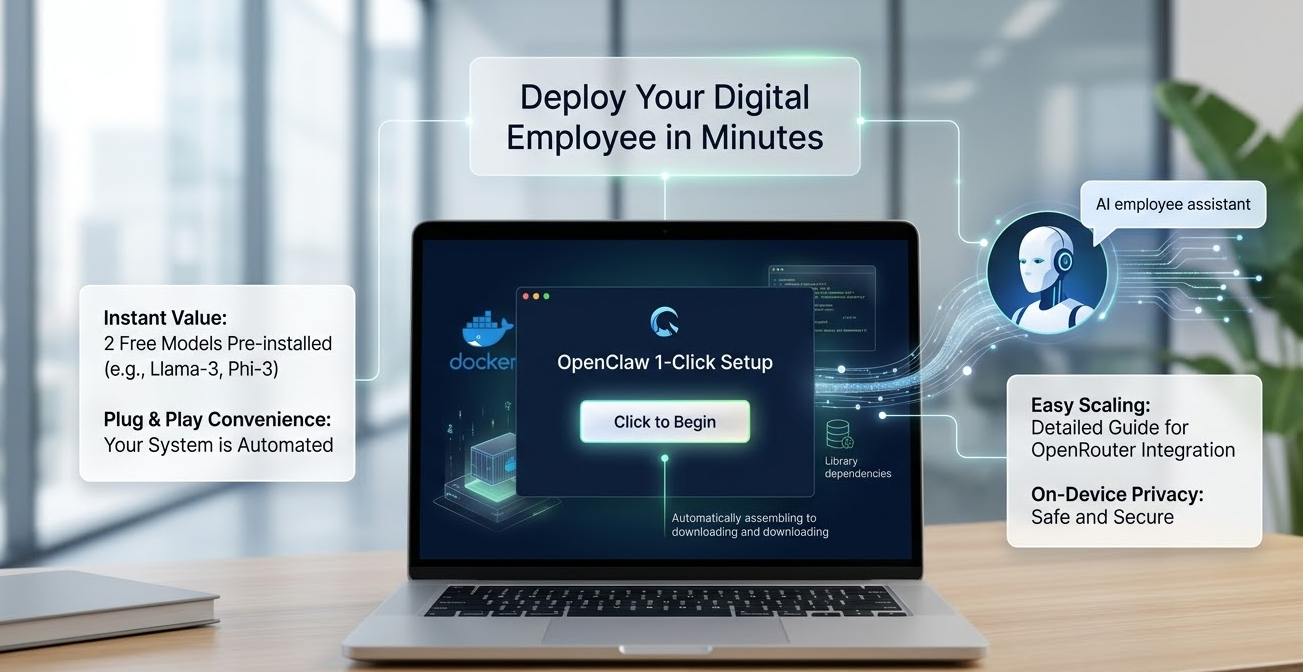
No developer skills required. The .exe installer automatically detects your system, configures Docker, and installs all required components silently in the background. No terminal, no manual setup, no DevOps team needed.
Security by Architecture — Not by Policy
OpenClaw's privacy isn't just a promise — it's enforced at the infrastructure level. By running inside Docker containers, the AI environment is fully isolated from the rest of your system. Your prompts, internal documents, and sensitive business data stay within a controlled, containerized workspace on your own hardware. No telemetry. No external data sync. No cloud exposure by default.
Ready from Day One
OpenClaw ships with two fully free, pre-configured AI models. The moment installation completes, your assistant is immediately available for real work: drafting emails, summarizing reports, generating content, and supporting data tasks — with no mandatory subscription to begin.
Built to Scale with You
When your needs grow, OpenClaw grows with you. Our step-by-step guide makes it easy to integrate OpenRouter and unlock access to the most advanced AI models available — on your terms, on your timeline.
Setup in Three Steps
- Download — Save the lightweight installer to your computer.
- Install — Double-click the file. The installer automatically configures Docker and all dependencies. No manual steps required.
- Delegate — Open the app, select a pre-installed free model, and start offloading work: emails, summaries, reports, content drafts, and more.
Who Is OpenClaw For?
- Managers and team leads who need a fast, reliable assistant for email, reporting, and follow-ups — without IT involvement.
- Freelancers, consultants, and creators who want AI-powered support for content, proposals, and client briefs.
- Security-conscious professionals and organizations who require that internal data never touches third-party cloud infrastructure.
- Busy professionals who want the power of modern AI with none of the deployment complexity.
Frequently Asked Questions
Q: Do I need to know how to code?
No. OpenClaw is a true one-click installer. Download, run, and your AI environment is ready.
Q: Why Docker? Is it safe?
Yes. Docker is the industry standard for containerized applications. OpenClaw uses Docker to run all AI components inside an isolated environment on your machine — preventing any unintended access to your files or network beyond what you configure.
Q: Is my data sent to the cloud?
No. All processing happens locally within the Docker container on your device. Your data remains entirely under your control unless you explicitly add an external API key (e.g., OpenRouter).
Q: Are there mandatory fees to start?
No. Two free AI models are pre-installed and ready to use from day one. Advanced models are optional and available via OpenRouter when you're ready.
Stop losing hours to repetitive work — and stop worrying about where your data goes. Download OpenClaw 1-Click Setup today and experience enterprise-grade AI, secured by Docker, running entirely on your own machine.
Share